> ## Documentation Index
> Fetch the complete documentation index at: https://docs.pathstack.io/llms.txt
> Use this file to discover all available pages before exploring further.
# Scania
To connect your Scania telematics data with PathStack, you will need the following access credentials:
* Client ID
* Secret Key
PathStack's Scania integration is currently in closed beta. For early access please contact us on 1300 822 370 or at [support@nuonic.com.au](mailto:support@nuonic.com.au)
To obtain these credentials, follow the steps below:
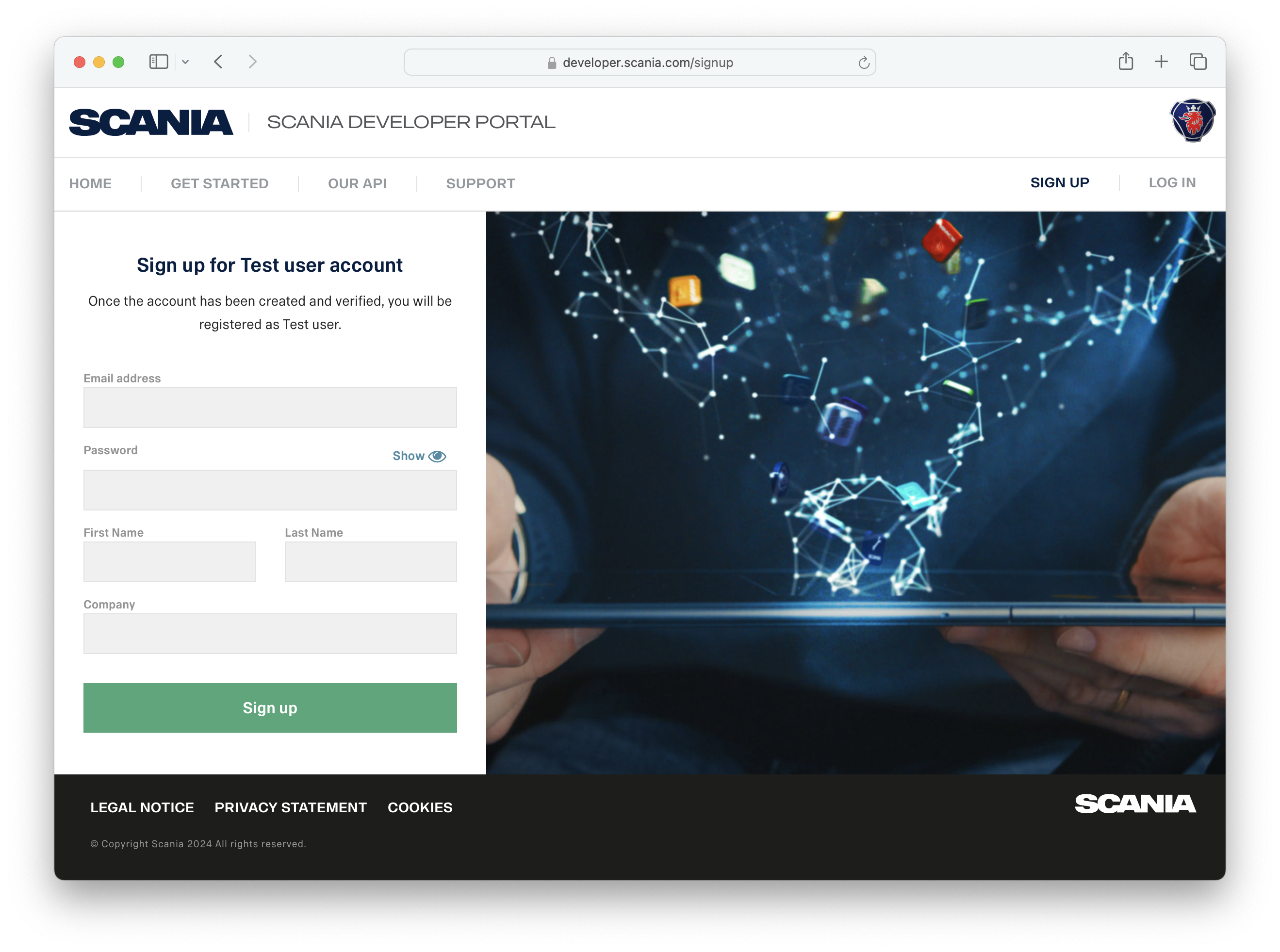
Register a new user at the Scania [developer portal](https://developer.scania.com/signup). Make sure you select account type 'FMS developer' and that you have a Scania Data Access service enabled.
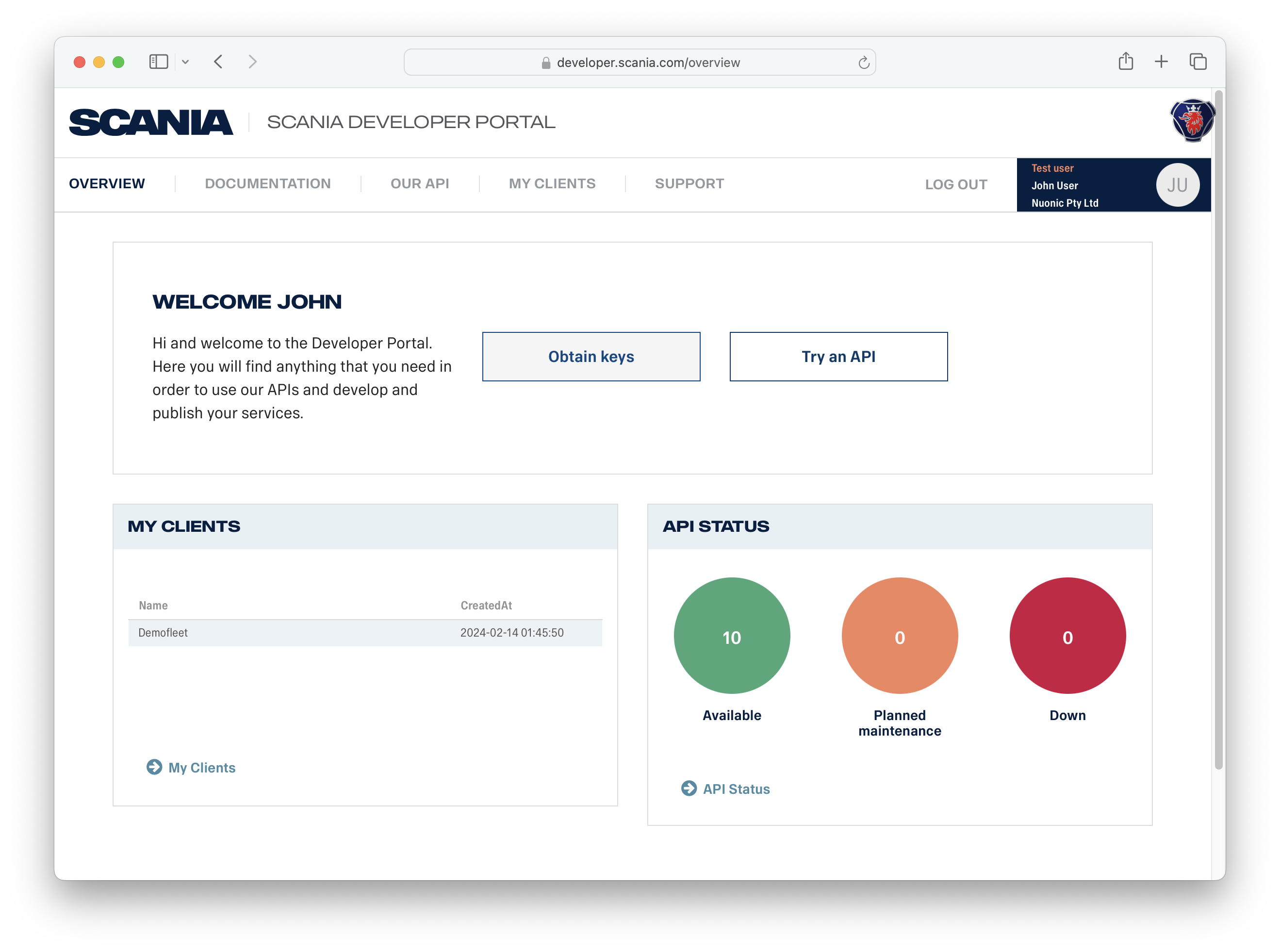
 After logging in to the developer portal, click the 'Obtain keys' button on the Overview page.
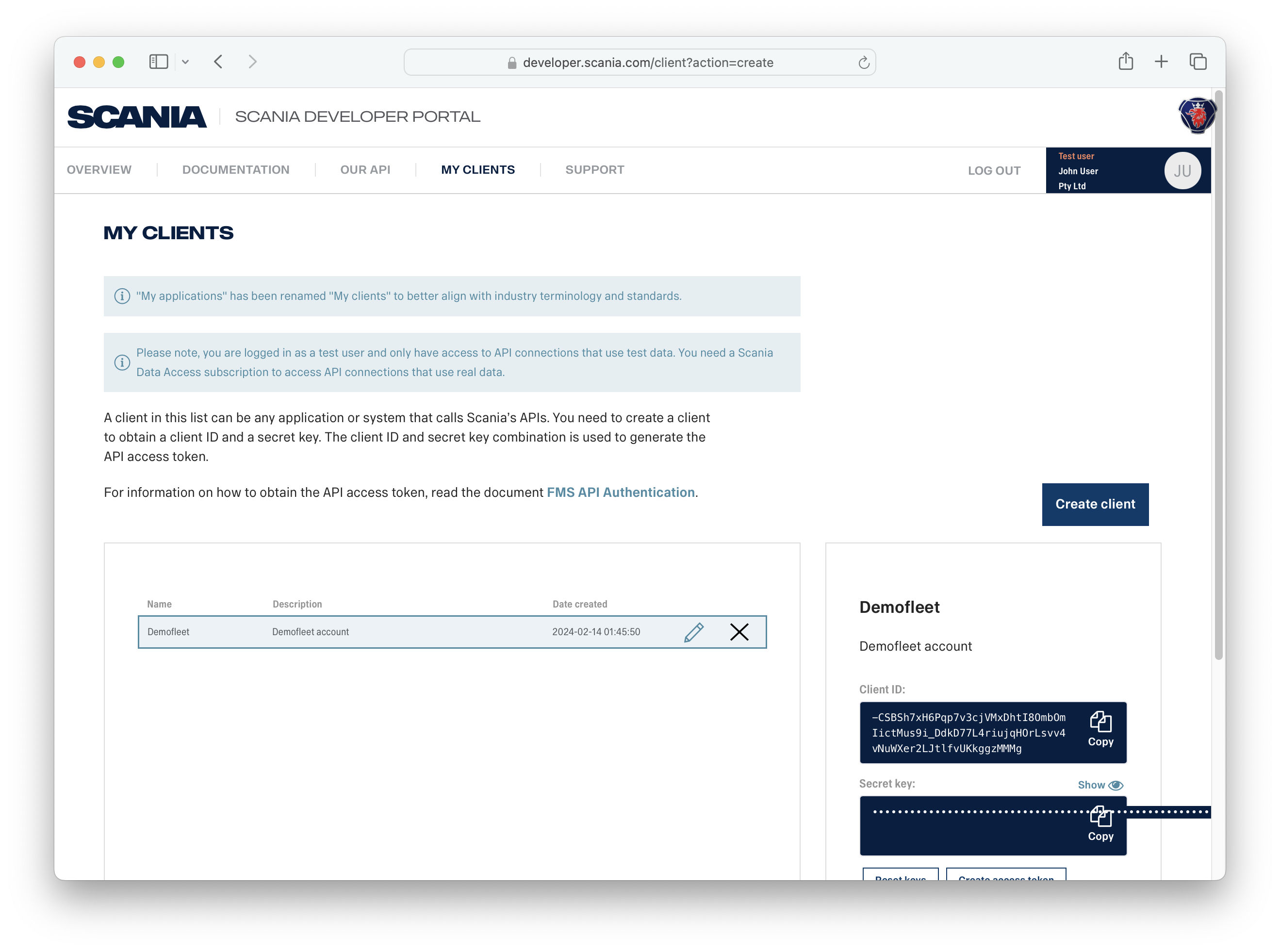
 On the next page, click the 'Create client' button and complete the form. The API access credentials will be generated and can then be copied from the page.
 For further assistance configuring your Scania API access, please contact the Scania team at [support.developer.cs@scania.com](mailto:support.developer.cs@scania.com)